
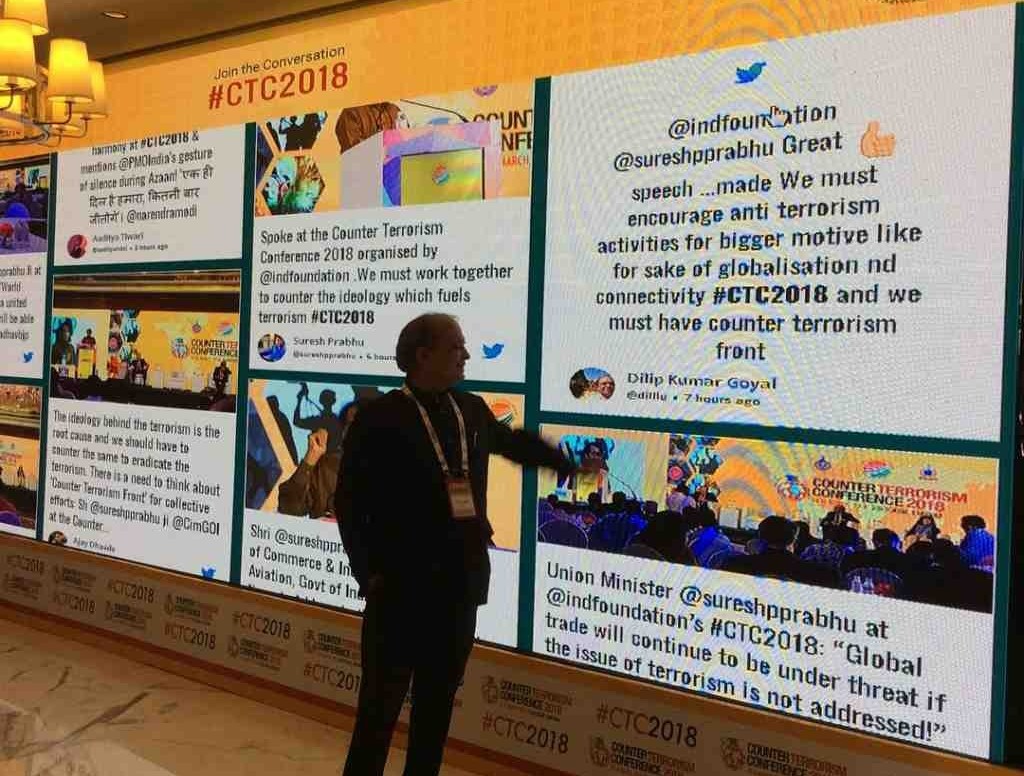
Over the last few years, event experiences have changed dramatically. Whether you walk into a tech summit, a university convocation, a music festival, or even a virtual town hall, you’ll notice one common element everywhere — a Live Social Wall pulling real-time content straight from X/Twitter.
And one of the platforms making this incredibly accessible is Social Walls, a simple yet powerful tool to collect, curate, and showcase real-time X/Twitter content on screens of any size.
A Live X/Twitter Wall isn’t just a screen — it’s a real-time heartbeat of your audience.
It turns scattered social posts into a connected storytelling moment that makes your event feel alive, inclusive, and interactive.
In this guide, I’ll walk you through everything you need to know — what an X/Twitter wall is, why it works so well, and how to build one easily using SocialWalls.com.
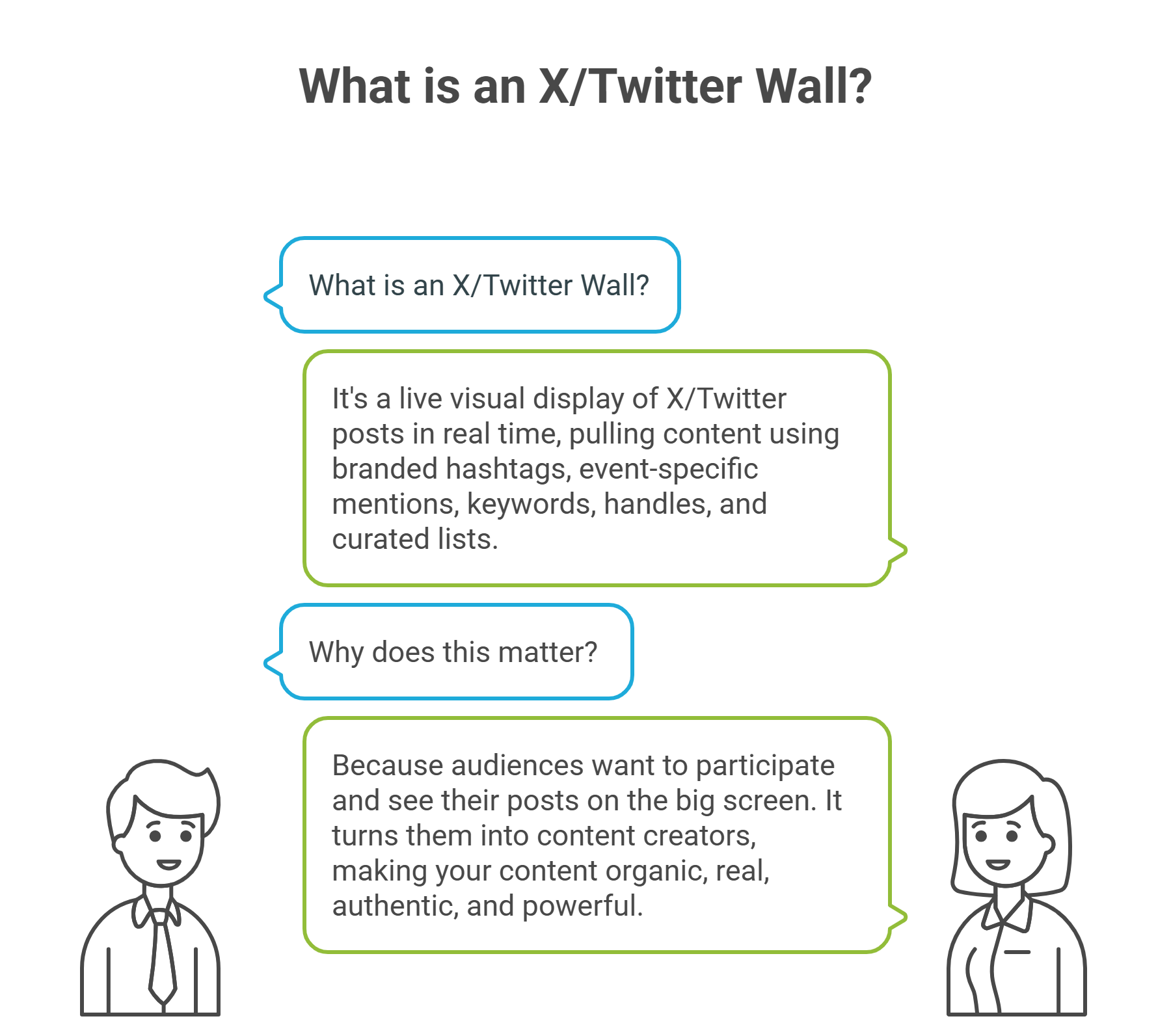
What is an X/Twitter Wall?
At its simplest, a Twitter Wall is a live visual display that shows posts from X/Twitter in real time. But behind that simple idea lies a lot of power.
A Twitter Wall pulls content using:
- Branded hashtags
- Event-specific mentions
- Keywords related to your theme
- Handles of your brand or speakers
- Curated Twitter lists
All this content flows automatically into one beautiful, interactive screen.
Why does this matter?
Because audiences today want to participate, not just attend.
They want to see their posts, opinions, reactions, selfies, and thoughts appear instantly on the big screen.
A Live X/Twitter Wall gives them that platform.
More importantly: It turns your audience into your content creators — organic, real, authentic, and incredibly powerful.
Why X/Twitter Walls Matter More Than Ever
If you consider a social media display screen is just a “nice-to-have,” think again.
Here’s why leading conferences, universities, brands, NGOs, corporates, and event agencies are making it a standard:
- Sparks instant engagement
Every time someone sees their post appear on-screen, they post more.
You get a natural increase in event hashtag usage, discussions, and buzz. - Creates a sense of community
People love being part of something bigger.
Seeing hundreds of posts on a central screen creates a shared experience that everyone feels connected to. - Boosts brand visibility online
Every hashtagged post becomes extra reach for your event or brand.
When attendees share, their followers join the conversation automatically. - Helps you collect authentic UGC
Real photos. Real reactions. Real feedback.
You get a treasure trove of content you can reuse legally for marketing or post-event recap. - Enhances both in-person and virtual experiences
A good X/Twitter wall works for:
– Physical screens
– Livestream overlays
– Virtual platforms
– Websites
– Lobbies
– LED walls
– And even hybrid stages - Makes events feel modern and dynamic
Static screens are dead. Real-time content brings energy and motion that keeps people glued.
How to Create a Live X/Twitter Wall Using Social Walls
One of the biggest misconceptions is that social walls require technical expertise. But Social Walls simplifies the entire workflow into a smooth, intuitive process.
Let’s break it down.
Step 1: Collect Content from X/Twitter
Start by choosing how you want to fetch content:
- Event hashtag (most popular option)
- Brand handle
- Speaker handles
- Mentions
- Keywords
Once you set your source, Social Walls continuously pulls posts into your dashboard.
Pro Tip: Create a short, simple event hashtag. The shorter it is, the more likely people are to use it.
Step 2: Moderate & Personalize
This is where the magic happens.
You don’t want everything to appear on-screen — and Social Walls gives you total control.
Moderation options include:
- Approve posts manually
- Auto-hide retweets
- Remove irrelevant or spammy posts
- Filter out repetitive content
- Exclude promotional or negative posts
- Flag sensitive or inappropriate content
Personalization tools include:
- Themes & layouts
- Colors, backgrounds, animations
- Logo placement
- Sponsor banners
- Event branding
- Custom frames & overlays
- Media cards & highlight blocks
This makes your social wall look high-quality, cohesive, and professional — not just a random feed.
Step 3: Display Your X/Twitter Wall Anywhere
Once your wall is ready, you can display it instantly.
Social Walls gives you multiple display options including:
For Events:
- Projectors
- LED walls
- Large screens
- Digital signages
- Stage backdrops
- Plasma TVs
- Multi-screen displays
- Wireless casting
- Virtual event platforms
For Websites:
The embed code makes it extremely simple — paste it on your desired page and your live feed goes up immediately.
For Live Streams:
Use ticker-style social feeds on YouTube, Vimeo, Zoom, or webinar platforms to make streams more interactive.
Use Cases: Where You Can Use an X/Twitter Wall

Social Walls supports almost every type of event or experience. Let’s break down the most popular ones with real examples.
- Conferences & Corporate Events
Encourage participants to share insights, quotes, takeaways, photos, and speaker mentions.
Great for:
– Annual gatherings
– Company offsites
– Sales kickoffs
– Partner events
– Industry summits
- Exhibitions & Trade Shows
Turn your booth into a social hub. Visitors love seeing their photos on big displays.
Use it to:
– Highlight customer reactions
– Promote live demos
– Announce giveaways
– Show trending conversations
- University Events
Graduations, orientations, sports days, alumni reunions — everything becomes more interactive.
Universities use social walls to:
– Showcase student voices
– Build community spirit
– Highlight achievements
– Capture memories
- Retail Activations & Pop-Ups
Retailers use X/Twitter walls to attract attention and make physical stores feel more connected to the online world.
Use cases include:
– In-store digital screens
– Product launches
– Pop-up shops
– Brand collaborations
– Influencer meetups
- Concerts, Festivals & Entertainment
There’s nothing more exciting for fans than seeing their selfies, videos, or reactions displayed live. - Weddings & Social Gatherings
Yes, even weddings use social walls now!
It’s a fun way to capture candid moments from guests. - Websites, Landing Pages & Online Communities
Embedding a social wall on your website adds massive trust:
– Real customers
– Social proof
– User-generated content
– Community vibes
– Live brand conversations
It keeps your site feeling alive and current.
Social Walls Features That Make a Difference

Here are the features that make Social Walls a top choice for planners and marketers:
1. Real-Time Content Updates: Posts appear in seconds — perfect for fast-moving events.
2. Twitter Ticker Mode: Run a sleek horizontal ticker at the bottom of your livestream or LED screens.
3. Advanced Moderation: Remove spam, negativity, and unwanted content instantly.
4. Responsive Layouts: Looks perfect on any screen size — from mobile to giant LED walls.
5. Enhanced Studio Options: Add apps, sponsor content, videos, files, or branded segments.
6. Analytics & Insights: Understand your audience better:
- Top contributors
- Top tweets
- Total engagement
- Sentiment breakdown
- Views & impressions
- Participation frequency
This is incredibly valuable for post-event reporting.
7. UGC Rights Management: Ask creators for permission to reuse their content in future marketing, legally and ethically.
8. 24/7 Support: Events run on tight timelines — having round-the-clock support is a lifesaver.
Take 14-Days Free Trial on Social Walls
Conclusion
A Live X/Twitter Wall is no longer a “cool extra.”
It’s a must-have for any event that wants to feel modern, interactive, and memorable.
Platforms like Social Walls make it unbelievably easy — from collecting posts to moderating them to displaying them on any screen, anywhere.
Whether you’re running a massive industry conference or a small hybrid workshop, a live social wall brings energy, excitement, and authenticity to your experience.