

Social media is an important part of online communication today. People use platforms like Instagram, Facebook, Twitter, and YouTube to discover brands, follow updates, and interact with content. If you own a Weebly website, adding social media feeds can help you connect your website to your social platforms in a simple, effective way.
When visitors see live social content on your site, it makes your website more active and engaging. Instead of relying only on static pages, social feeds allow you to display real-time updates automatically. This blog explains how to add social media feeds on a Weebly website, why it is useful, and how it can support your website’s growth.
Why Add Social Media Feeds to a Weebly Website?
Adding social media feeds to your Weebly website offers several benefits for both website owners and visitors.
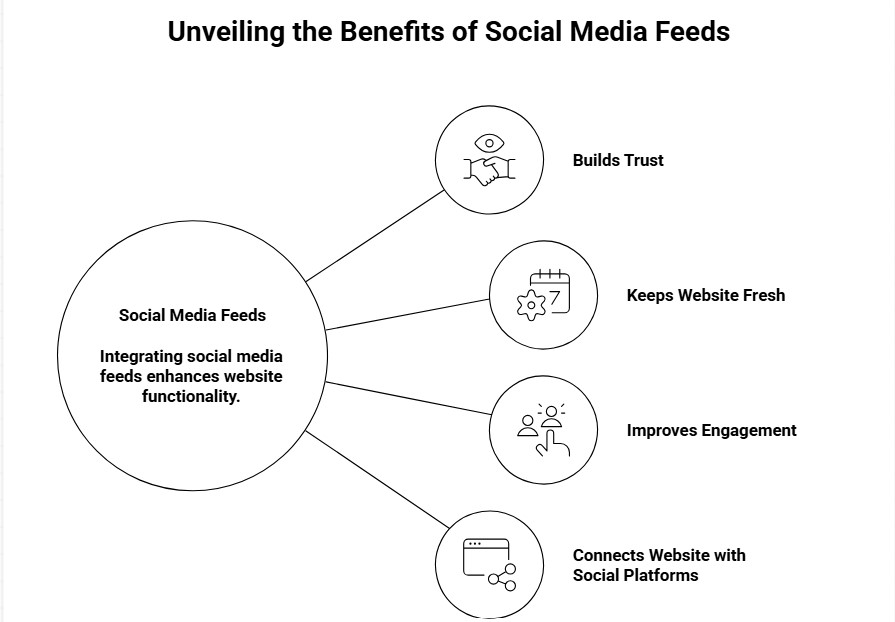
First, it helps build trust. When users see real posts and updates, it shows that your brand is active and authentic. This makes visitors feel more confident about your business or personal brand.
Second, social media feeds keep your website fresh. Every new post you publish on social media can automatically appear on your website. This saves time and effort, especially if you do not update your website content often.
Third, social feeds improve engagement. Visitors are more likely to stay longer on your website when they see interactive content such as images, videos, and updates. This helps improve overall website performance.
Finally, adding social feeds helps connect your website with your social platforms. Visitors can discover your social profiles and follow you directly, helping you grow your audience.
What are Social Media Feeds?
A social media feed is a display of posts from social media platforms that appears directly on a website. These posts can include images, videos, captions, and updates from platforms such as Instagram, Facebook, Twitter, or YouTube.
Website owners usually add feeds using a social media widget, a simple tool that lets them embed content without coding. These widgets automatically fetch content from social platforms and display it in a clean and organized layout.
Social feeds can also showcase hashtags, brand-related content, and social media mentions, helping visitors see how people interact with your brand online.
Types of Social Media Feeds You Can Add to Weebly
There are several types of social media feeds you can add to a Weebly website. The type you choose depends on your content and goals.
1. Instagram Feed
An Instagram feed is one of the most popular options. It is ideal for businesses, creators, and bloggers who share visual content such as photos and short videos.
2. Facebook Feed
A Facebook feed allows you to display page updates, announcements, and community posts. This is useful for businesses that use Facebook to communicate with their audience.
3. Twitter Feed
A Twitter feed shows short updates and real-time information. It works well for news, announcements, and quick messages.
4. YouTube Feed
A YouTube feed displays videos directly on your website. This is helpful for tutorials, reviews, and educational content.
5. Hashtag Feed
A hashtag feed collects posts using a specific hashtag. It is useful for campaigns and events and helps highlight current social media trends related to your brand.
Add Social Media Feeds on a Weebly Website ( Simple Steps )
Adding social media feeds to a Weebly website is simple and does not require technical skills.
Step 1: Choose a Social Media Feed Tool
Start by selecting a tool that supports Weebly. Many tools provide ready-to-use feeds and simple embed options.
Step 2: Connect Your Social Media Account
Once you choose a tool, connect your social media account by logging in and allowing access. This enables the tool to collect your posts.
Step 3: Customize the Feed
Most tools allow basic customization. You can select the layout, number of posts, and style to match your website design.
Step 4: Copy the Embed Code
After customization, the tool will generate an embed code. This code is required to display the feed on your website.
Step 5: Add the Feed to Weebly
Log in to your Weebly editor, drag the Embed Code element onto your page, paste the code, and publish your website. Your social media feed will now appear live.
SEO Benefits of Adding Social Media Feeds
Social media feeds can indirectly support SEO and website performance.
They help increase the time visitors spend on your website, which is a positive signal for search engines. Fresh and frequently updated content also improves website activity.
Social feeds improve user experience by making pages more interactive and visually appealing. When visitors engage with your content, it supports better website behavior metrics.
Displaying social content also strengthens brand visibility and consistency across platforms, which supports long-term digital growth.
Popular Tools to Display Social Media Feeds
Here are some commonly used tools that support Weebly integration:
- Taggbox
- Juicer
- Elfsight
- Tagembed
- SociableKIT
- Smash Balloon
These tools offer easy setup, customization options, and embed codes that work well with Weebly websites.
Conclusion
Adding social media feeds to a Weebly website is a simple and effective way to improve engagement, build trust, and keep your website updated. It allows visitors to see live content directly on your site and helps connect your website with your social platforms.
With the right tools and setup, you can easily display social media feeds without technical effort. Whether you run a business website, blog, or portfolio, social media feeds add value and make your website more interactive and modern.
By following the steps in this guide, you can successfully add social media feeds to your Weebly website and strengthen your online presence.