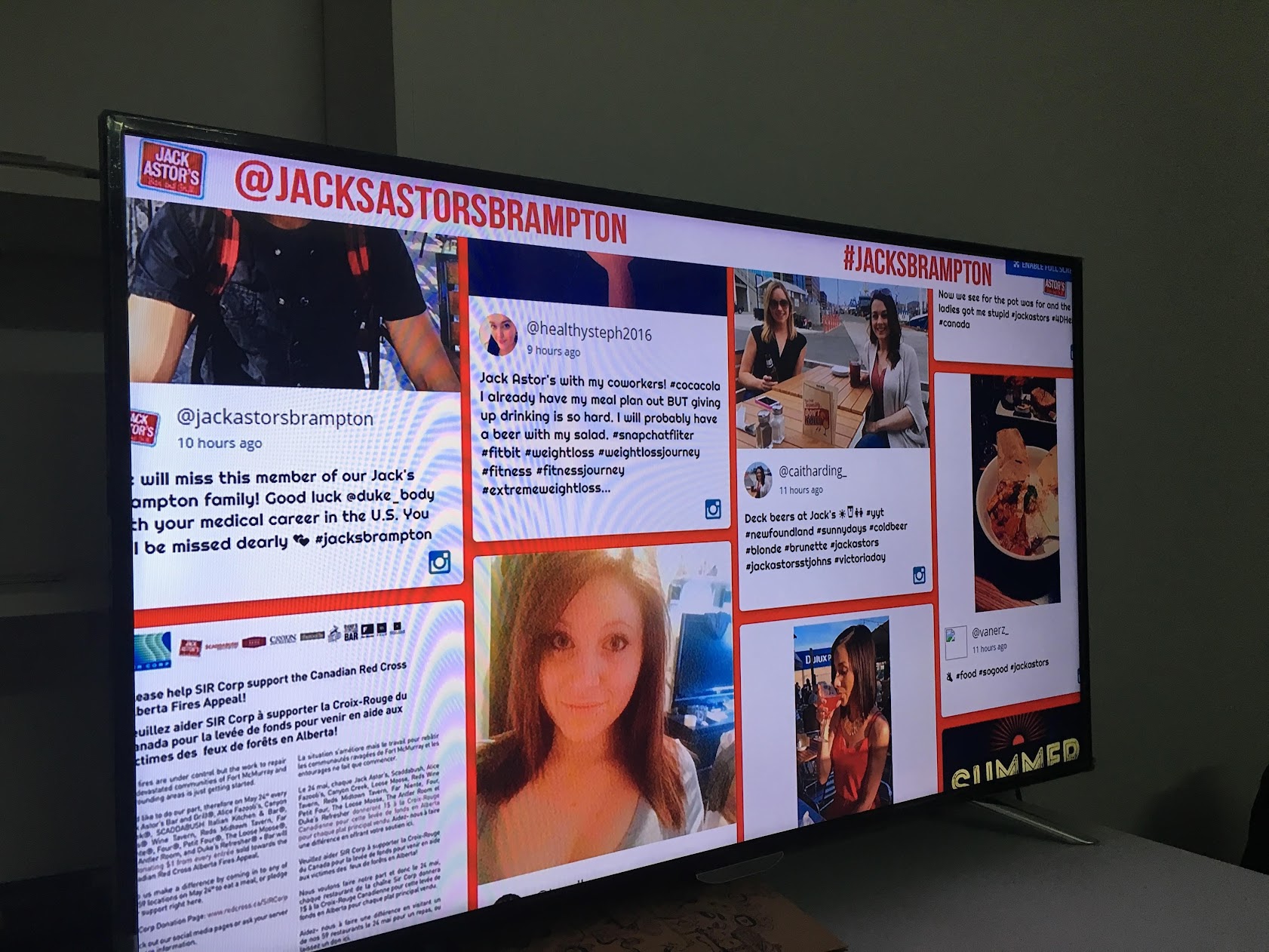
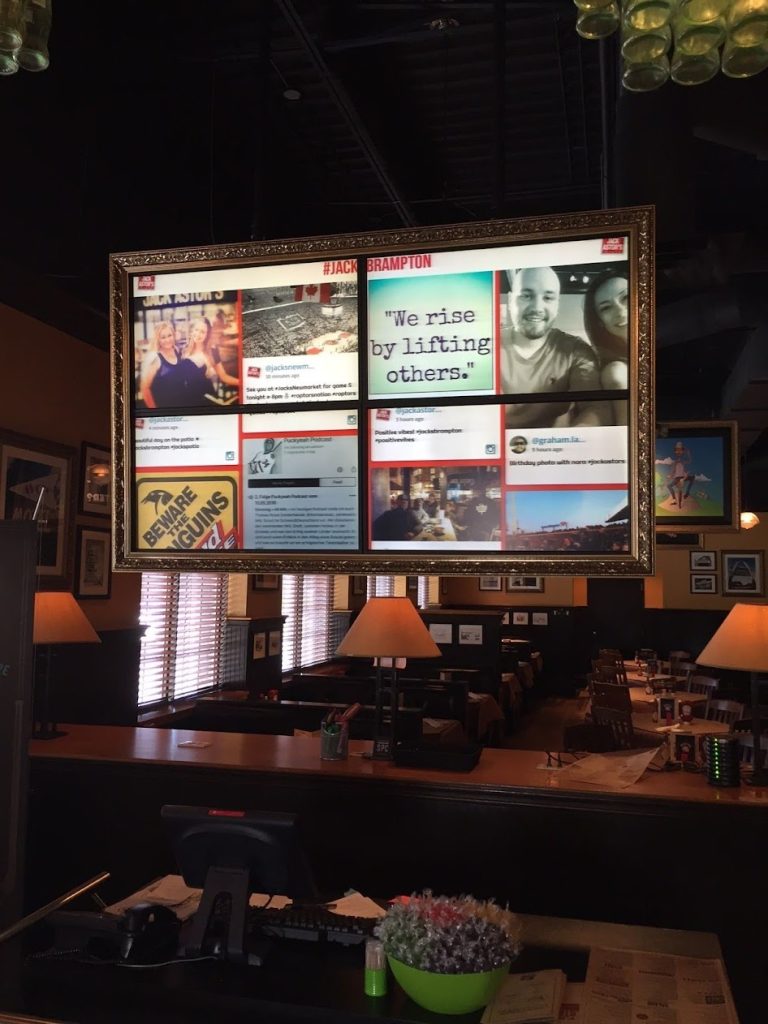
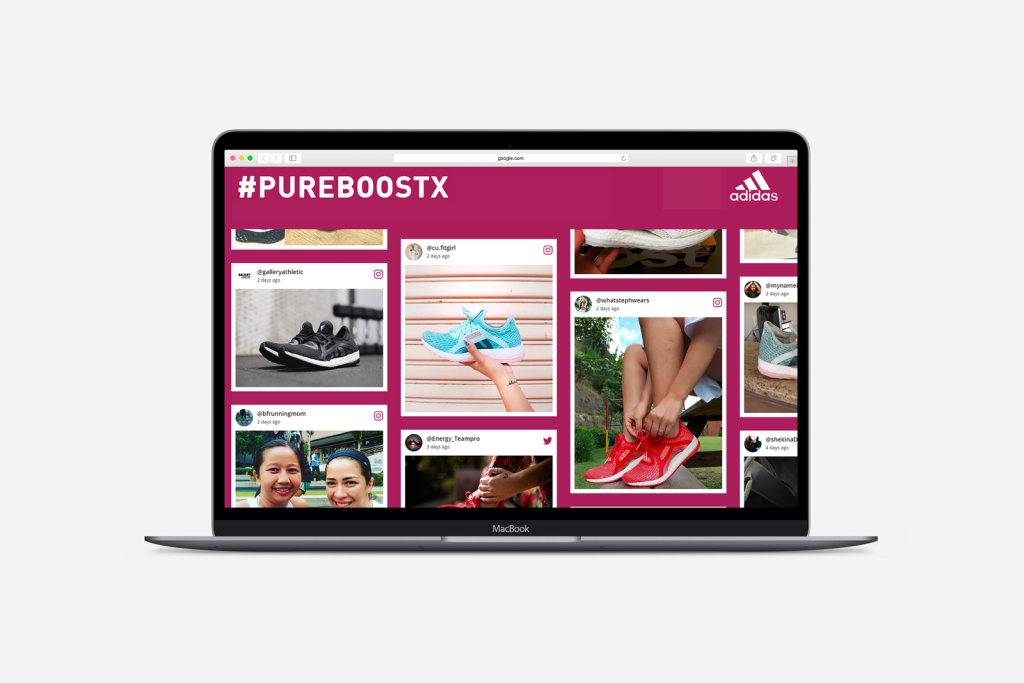
A social media wall is a visual aggregation of social content curated from one or multiple social platforms. It pulls content through hashtags, handles, keywords, and mentions, and then presents it in a clean, branded layout suitable for events, websites, or TV screens.
A social media wall is a live, real-time feed that collects posts, images, and videos from platforms like Instagram, TikTok, Facebook, and X, and displays them on screens, websites, and digital signage. It boosts engagement, showcases user-generated content (UGC), and helps brands create interactive experiences for events, retail stores, offices, and online audiences by embedding it on websites.
Think of it as a dynamic digital billboard powered by real people’s content — constantly refreshing and always engaging.
What Is a Social Media Wall?
A social media wall is a visual aggregation of social content curated from one or multiple social platforms. It pulls content through hashtags, handles, keywords, and mentions, and then presents it in a clean, branded layout suitable for events, websites, or TV screens.
It’s widely used for events, retail experiences, brand activations, corporate communication, influencer campaigns, and digital signage.
Quick Definition
A social media wall is a real-time display of social media content sourced from platforms such as Instagram, TikTok, Facebook, X, and YouTube, shown publicly on screens, websites, or digital displays to increase engagement and participation.
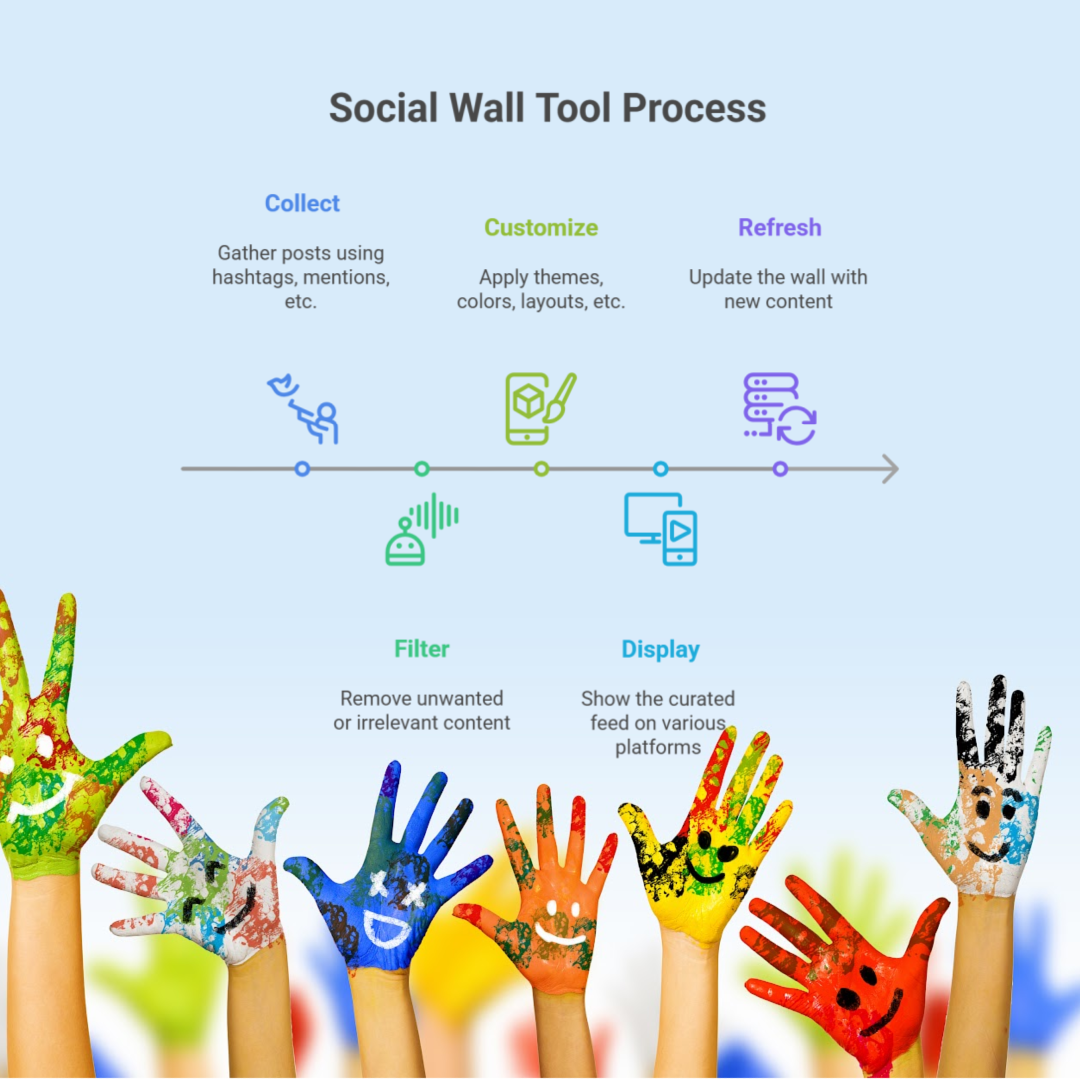
How a Social Wall Aggregates Content in Real Time
Modern social wall tools connect with social APIs and gather content instantly. Here’s what happens behind the scenes:
Collect: The tool fetches posts using hashtags, mentions, tags, usernames, or pages.
Filter: AI-powered moderation removes unwanted or irrelevant content.
Customize: Brands apply themes, colors, layouts, transitions, and fonts.
Display: The curated feed goes live on LED displays, websites, mobile apps, or kiosks.
Refresh: The wall updates continuously as new content is published.
Supported Social Platforms
Most advanced social walls support:
Instagram
TikTok
Facebook
X (formerly Twitter)
YouTube
LinkedIn (limited)
Pinterest
Google Reviews
Custom RSS feeds
Direct posts (photo/video uploads via QR code — increasingly popular for events)
Seeing their posts displayed live motivates audiences to participate more. This instantly increases:
Hashtag usage
Social mentions
Content submissions
Event interaction
User engagement
Social media walls as an audience engagement tool, gamify the experience and turn viewers into active contributors.
Increasing User-Generated Content (UGC)
UGC walls encourage users to create and share more brand-related content. This helps:
Build social proof
Increase authenticity
Reduce content creation costs
Expand your organic reach
Brands use UGC for ads, website banners, and testimonials.
Strengthening Brand Presence & Social Proof
When customers see other people interacting with your brand, it builds instant trust. Displaying authentic posts from real users makes marketing more relatable and credible.
Improving Event Interaction & Participation
Social walls are now a standard feature at:
Conferences
Music festivals
Exhibitions
Corporate events
Product launches
Participants love seeing their posts appear instantly — it drives excitement and keeps audiences engaged longer.
Enhancing Website Conversions
Social wall on website increases trust by showcasing:
Customer reviews
User photos
Influencer shoutouts
Real experiences
This reduces buyer hesitation and increases conversions for e-commerce and service brands.
Lead Generation & QR-Based Participation
Advanced tools like Social Walls by Taggbox allow users to scan a QR code to upload photos, which helps brands collect:
Email IDs
Phone numbers
Customer preferences
Feedbacks
This makes social walls a powerful tool for lead generation.
Best Use Cases for Social Media Walls
Social media walls are incredibly versatile. Whether you’re running a physical event, managing a venue, or enhancing website engagement, they can elevate the entire experience.
Below are the most impactful real-world use cases.
1. Event Venues & Conferences
Events are the most popular environment for social walls — and for good reason.
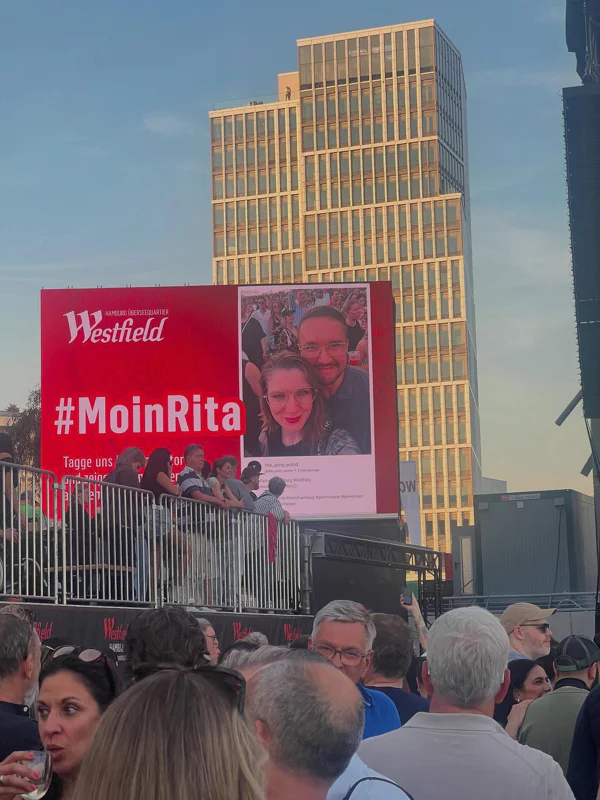
A live social wall encourages attendees to post using the official event hashtag, instantly boosting coverage and community interaction.
Use it for:
Conference stages & breakout rooms
Exhibitions & keynote sessions
Music festivals
Product launches
Award ceremonies
Fan zones
Impact: Attendees become active creators, not just spectators. This increases both engagement and organic reach on social media.
2. Retail Stores, Malls & Showrooms
Displaying real customer photos or influencer posts in retail spaces creates social proof that directly impacts buying decisions.
Retail brands use walls for:
In-store digital signage
Launch events
Influencer campaign highlights
Shoppable UGC showcases
Impact: UGC increases trust and directly influences purchase behaviour at the point of sale.
3. Corporate Offices & Internal Communication
Companies use social walls to modernize communication and build workplace culture.
Use cases include:
Displaying team updates
Employee recognition moments
Company social media posts
Event highlights
Corporate news tickers
Impact: A more connected, transparent, and engaged workforce.
4. Schools, Universities & Community Spaces
Education institutions use them to display:
Student achievements
Event photos
Graduation content
Campus activities
Alumni memories
Impact: Creates a sense of belonging and community pride.
5. Restaurants, Cafés & Hospitality Spaces
Restaurants and hospitality venues use UGC walls to display:
Customer photos
Food shots
Influencer mentions
Online reviews (Google, Yelp, TripAdvisor)
Impact: Enhances dining experiences and increases organic sharing.
6. Websites, Landing Pages & Microsites
A website-embedded social wall adds fresh content automatically, which helps:
A global tech conference used a social media wall to encourage attendees to post with the event hashtag. By the end of Day 1:
Hashtag usage increased by 210%
The wall generated 3x more UGC
Social impressions grew by 180,000+
Attendees stayed longer in networking zones to see the wall
Participants loved seeing themselves on the big screen — a natural engagement booster.
Case Study 2 — Retail Store Increased Conversions by 52%
A fashion retailer displayed customer photos and influencer content on in-store digital screens.
After 6 weeks:
Conversion rate improved by 52%
Shoppers spent longer browsing
Influencers amplified reach voluntarily
Customer trust increased significantly
UGC-driven displays outperformed traditional ads by a wide margin.
Expert Commentary — Why Social Walls Matter in 2025
“Real-time UGC displays are becoming the centerpiece of event engagement and retail experience strategies. People trust people — and social walls bring that authenticity right into your physical and digital spaces.”
Layouts that highlight rapid updates and big-screen visibility.
2. Website Embed Templates
Minimalist designs optimized for site speed & readability.
3. Digital Signage Layouts
High-contrast templates for retail and corporate environments.
4. Branded Themes & Custom Designs
For campaigns, festivals, sports, hospitality, etc.
Buying Guide — Choosing the Right Social Media Wall Tool
With dozens of tools available, choosing the right social media wall platform depends on your goals, budget, and use case. Below is a clear checklist to guide your decision.
Key Features to Look For
Choose a tool that offers:
Multi-platform support (Instagram, TikTok, X, YouTube, Facebook, Pinterest, Google Reviews)
Real-time updates
Moderation & filters
Custom themes & layouts
Digital signage compatibility
Website embed options
QR code submissions or direct uploads
Analytics dashboard
Branding controls
Event-ready display modes
These features ensure your wall not only looks good but also performs well during peak engagement.
Pricing Models
Social wall tools generally offer:
Pay-per-event pricing (ideal for one-time events)
Monthly subscriptions (best for businesses and venues)
Enterprise plans (for multi-location setups and custom needs)
Usage-based pricing (for high-volume or API-driven displays)
Pick a plan based on frequency, screen count, and audience size.
Comparison Checklist
When comparing vendors, evaluate:
Embed options
Display quality
Moderation depth
API availability
Customer support response time
UI/UX ease
UGC rights management
Performance under heavy traffic
Reliability for event refresh rates
Free Social Walls vs. Paid Tools
Free Social Media Wall tools are great for simple feeds or basic website embeds with limited posts and no real time content updates. Paid tools offer:
Better design
More social sources
Faster updates
Moderation tools
Custom branding
Professional support
For events or signage, paid tools provide stability and presentation that free tools rarely match.
Integration Options
Social media walls integrate seamlessly across multiple platforms and hardware setups.
Website Embed Integration
You can embed social walls using:
HTML embed codes
JavaScript widgets
WordPress plugins
Shopify apps
iFrame embeds
Landing page builders (Webflow, Wix, Leadpages)
These ensure your Website social wall looks and functions well on desktop and mobile.
Digital Signage Integration
Compatible with:
Android TV
Fire TV
Samsung & LG commercial signage
ChromeOS devices
BrightSign / ScreenCloud
Custom digital signage players
Most tools provide a unique display URL you enter directly into your signage app.
LED Screens & Projector Displays
Perfect for:
Event stages
Expo booths
Retail show windows
Brand activations
Corporate lobbies
Just open the display URL in a browser — the screen automatically adjusts to the resolution and orientation.
Social API Connectivity
Advanced Social Wall tools support API integrations for:
Instagram Graph API
TikTok Content API
YouTube Data API
Facebook Page API
Google Places Review API
This ensures accuracy and compliance with platform policies.
Frequently Asked Questions (FAQs)
These FAQs are crafted based on Task 1’s PAA research and structured to target featured snippets & SGE picks.
What is a social media wall?
A social media wall is a real-time feed that collects content from social media platforms like Instagram, TikTok, Facebook, X, YouTube etc and displays them on screens, websites, or digital signage.
How does a social media wall work?
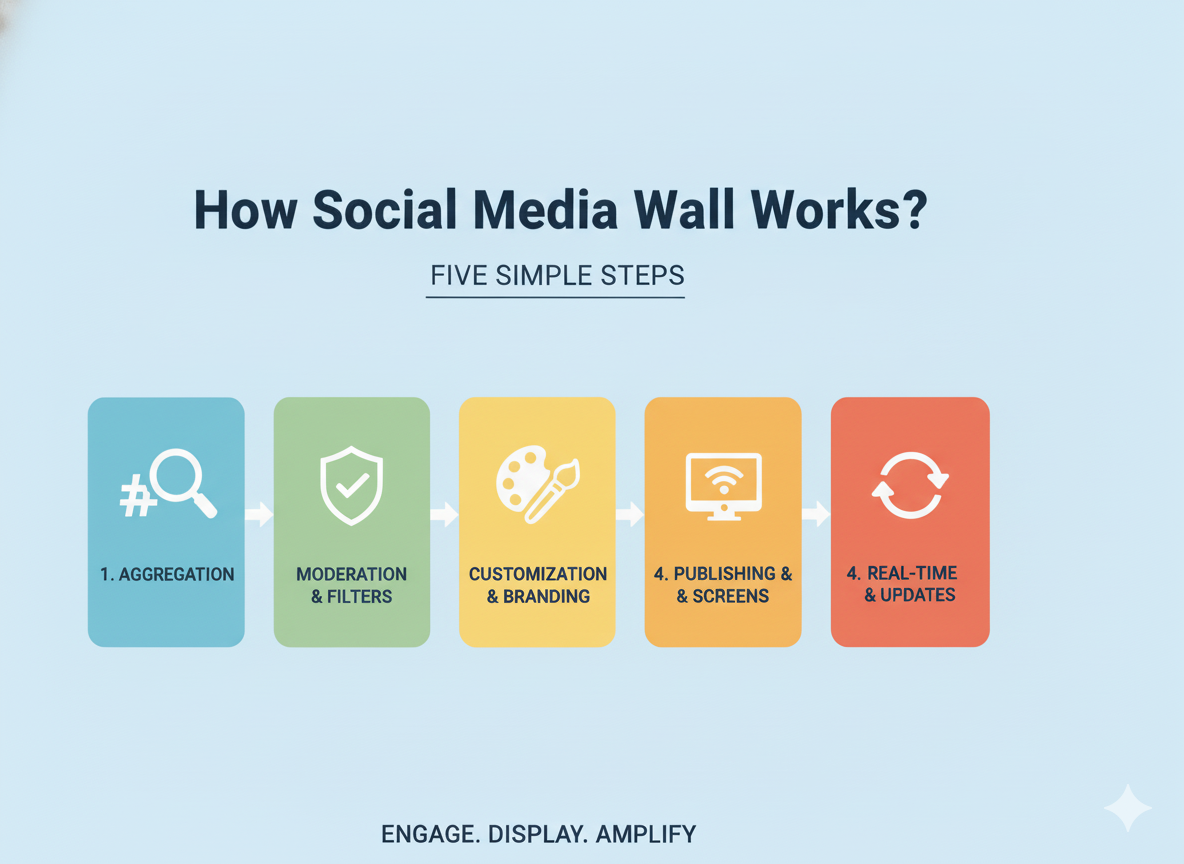
It aggregates posts via hashtags, handles, or mentions, filters them through moderation, applies custom layouts, and displays them in real-time.
Which screens can I display a social wall on?
You can display it on TVs, LED screens, projectors, digital signage, laptops, tablets, event screens, or websites.
Can I use a social media wall for events?
Yes. Social walls are extremely popular at conferences, concerts, trade shows, and product launches.
Do social walls update in real time?
Yes — most tools refresh continuously, especially during live events.
How much does a social media wall cost?
Pricing ranges from free to $50–$500/month, depending on features, refresh rates, and support needs.
Which platforms can be added to a social wall?
Instagram, TikTok, Facebook, X, YouTube, LinkedIn (limited), Pinterest, Google Reviews, and direct uploads.
Can I moderate posts before displaying them?
Yes — you can approve, reject, filter, or auto-moderate posts.
Final Thoughts
A social media wall is more than a display app — it’s a powerful tool for audience engagement. Whether you’re hosting a large-scale event, running a retail store, managing a corporate workplace, or optimizing a website, social walls help you showcase authentic user content, boost participation, and build instant trust with your audience.
With the right setup, customization, and strategy, a social media wall becomes one of the most cost-effective and high-impact marketing assets you can deploy.